





Qhov muaj ntau lub tsev nres tsheb hauv av tau ua rau peb yooj yim rau kev nres tsheb, tab sis tsis zookev them nqi ntawm lub xov tooj ntawm testau dhau los ua teeb meem uas tshwm sim ntau zaus. Tsab xov xwm no yuav qhia txog qee cov kev daws teeb meem yooj yim thiab zoo los txhim kho kev npog teeb liab ntawm tes hauv cov chaw nres tsheb hauv av.
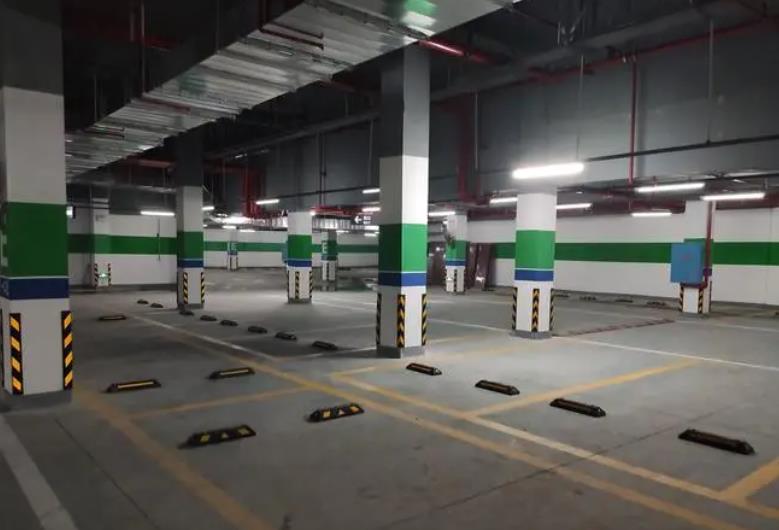
Qhov chaw tshwj xeeb ntawm cov chaw nres tsheb hauv av tiv thaiv kev xa cov teeb liab ntawm tes, ua rau muaj kev tsis yooj yim rau cov tswv tsheb thiab cov thawj coj chaw nres tsheb. Hauv cov xwm txheej zoo li no, cov kev daws teeb meem yooj yim tab sis muaj txiaj ntsig tuaj yeem pab txhim khokev them nqi ntawm lub xov tooj ntawm teshauv cov chaw nres tsheb hauv av thiab muab kev sib txuas lus zoo dua.
Ib txoj kev xaiv yog los nruab ib lub tshuab ua kom lub teeb liab nrov. Lub tshuab ua kom lub teeb liab nrov yog ib lub cuab yeej uas txais cov teeb liab los ntawm thaj chaw ib puag ncig thiab ua kom lawv nrov dua, ua kom thaj chaw npog tau zoo dua. Kev teeb tsa cov tshuab ua kom lub teeb liab nrov ntawm cov chaw tseem ceeb hauv lub tsev nres tsheb hauv av tuaj yeem ua rau lub teeb liab muaj zog dua thiab daws qhov teeb meem ntawm kev npog tsis txaus.
Kev xaiv tus neeg teb xov tooj ntawm tes uas zoo yog lwm txoj kev daws teeb meem. Cov neeg teb xov tooj sib txawv yuav muaj cov teeb liab sib txawv hauv thaj chaw sib txawv. Los ntawm kev nkag siab txog cov teeb liab ntawm cov neeg teb xov tooj sib txawv ze ntawm lub tsev nres tsheb hauv av thiab xaiv tus uas muaj kev pab zoo dua, qhov zoo ntawm kev txais cov teeb liab ntawm tes hauv lub tsev nres tsheb tuaj yeem txhim kho.
Kev siv Wi-Fi hu xov tooj kuj yog ib qho kev daws teeb meem. Ntau lub xov tooj txhawb nqa kev hu xov tooj los ntawm Wi-Fi, uas tso cai rau kev sib txuas lus txawm tias nyob rau hauv thaj chaw uas tsis muaj teeb liab ntawm tes. Kev teeb tsa lub network Wi-Fi ruaj khov hauv qhov chaw nres tsheb hauv av ua rau cov tswv tsheb tuaj yeem tswj kev sib txuas lus zoo los ntawm Wi-Fi hu xov tooj.
Kev txhim kho cov qauv thiab cov ntaub ntawv ntawm lub tsev nres tsheb hauv av kuj tseem muaj feem cuam tshuam. Qee cov ntaub ntawv tsim kho thiab cov yam ntxwv tsim qauv yuav cuam tshuam thiab ua rau kev xa xov tooj tsis zoo. Kev ua kom zoo tshaj plaws ntawm kev tsim qauv ntawm lub tsev nres tsheb, xws li kev xaiv cov ntaub ntawv uas muaj cov yam ntxwv tsis zoo ntawm kev xa xov tooj thiab kev npaj cov kav hlau txais xov thiab cov kev xa xov tooj kom raug, tuaj yeem txhim kho kev xa xov tooj kom zoo.
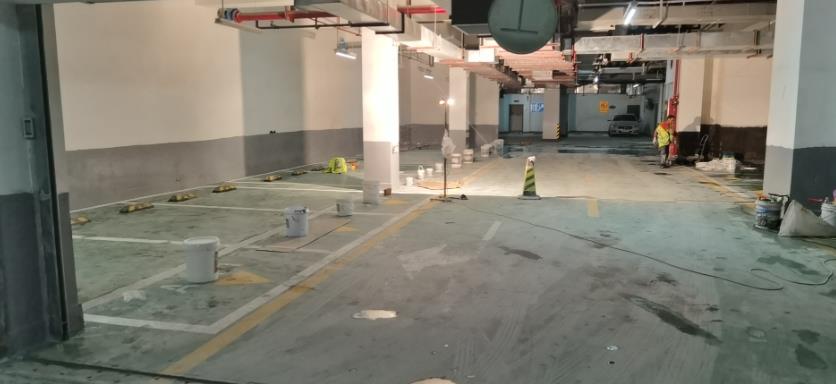
Thaum daws qhov teeb meem ntawm kev npog lub teeb liab ntawm tes hauv cov chaw nres tsheb hauv av, peb tuaj yeem sim teeb tsa cov amplifiers teeb liab, xaiv tus neeg teb xov tooj kom raug, siv Wi-Fi hu, thiab kho cov qauv thiab cov ntaub ntawv ntawm lub tsev nres tsheb. Cov kev daws teeb meem yooj yim thiab zoo no tuaj yeem txhim kho qhov zoo ntawm kev txais lub teeb liab ntawm tes hauv cov chaw nres tsheb hauv av, muab kev sib txuas lus zoo dua rau cov tswv tsheb thiab cov thawj coj chaw nres tsheb. Yav tom ntej, peb tuaj yeem txuas ntxiv tshawb nrhiav lwm cov kev daws teeb meem los txhim kho kev npog lub teeb liab ntawm tes hauv cov chaw nres tsheb hauv av. Piv txwv li, kev siv lub tshuab antenna faib tawm tuaj yeem xa ntau lub antennas hauv lub tsev nres tsheb, ua rau ntau qhov kev npog ntau dua. Lub kaw lus no tuaj yeem tshem tawm cov cheeb tsam tuag teeb liab los ntawm kev faib cov antennas mus rau ntau qhov chaw sib txawv, muab kev npog teeb liab sib npaug ntau dua.
Tsis tas li ntawd xwb, kev npaj kom zoo ntawm qhov kev teeb tsa thiab cov qauv ntawm lub tsev nres tsheb hauv av kuj tseem tuaj yeem txhim kho kev xa xov tooj cua. Kev xaiv cov ntaub ntawv rau phab ntsa, qab nthab, thiab hauv pem teb ntawm lub tsev nres tsheb uas muaj kev nkag mus zoo dua rau cov teeb liab wireless tuaj yeem txo qhov teeb liab attenuation. Tib lub sijhawm, kev zam thaj chaw loj ntawm cov qauv hlau lossis cov teeb meem tuaj yeem txo qhov cuam tshuam nrog kev xa xov tooj cua.
Ntxiv rau cov kev daws teeb meem saum toj no, kev saib xyuas thiab kev saib xyuas tas mus li kuj yog qhov tseem ceeb rau kev ua kom muaj kev pab cuam ntawm lub xov tooj ntawm tes hauv cov chaw nres tsheb hauv av. Kev tshuaj xyuas thiab kev saib xyuas tas licov teeb liab amplifiers, antennas, thiab lwm yam khoom siv cuam tshuam ua kom lawv ua haujlwm tau zoo thiab ua tau zoo. Tsis tas li ntawd xwb, kev paub txog cov kev daws teeb meem tshiab thiab kev nce qib ntawm thev naus laus zis thiab kev hloov kho tshiab thiab txhim kho cov txheej txheem kom hloov kho raws li qhov xav tau kev sib txuas lus uas hloov pauv tas li yog qhov tseem ceeb.
Los ntawm kev teeb tsa cov amplifiers teeb liab, xaiv tus neeg teb xov tooj kom raug, siv Wi-Fi hu xov tooj, ua kom zoo dua cov qauv thiab cov ntaub ntawv ntawm lub tsev nres tsheb, thiab siv cov kab ke antenna faib tawm, peb tuaj yeem txhim kho kev npog teeb liab ntawm lub xov tooj ntawm tes hauv cov chaw nres tsheb hauv av. Cov kev ntsuas no tsis yog tsuas yog txhim kho kev sib txuas lus zoo xwb tab sis kuj muab kev paub zoo dua rau cov tswv tsheb thiab cov thawj coj chaw nres tsheb. Nrog rau kev nce qib ntawm thev naus laus zis, peb ntseeg tias yuav muaj ntau yam kev daws teeb meem tshiab dua yav tom ntej, muab cov kev daws teeb meem txhim khu kev qha thiab ua haujlwm tau zoo dua rau qhov teeb meem ntawmkev them nqi ntawm lub xov tooj ntawm teshauv cov chaw nres tsheb hauv av.
Lub sijhawm tshaj tawm: Lub Xya Hli-03-2023